OpenPlex
Free and open source · AGPL-3.0

The web hosting control panel, open source

Websites, databases, mail, DNS, backups and security on your own server, with every website in its own container. An open-source alternative to Plesk and cPanel that installs with one command.

Ubuntu 22.04+ or Debian 12+ · amd64 and arm64 · English, Spanish and Catalan

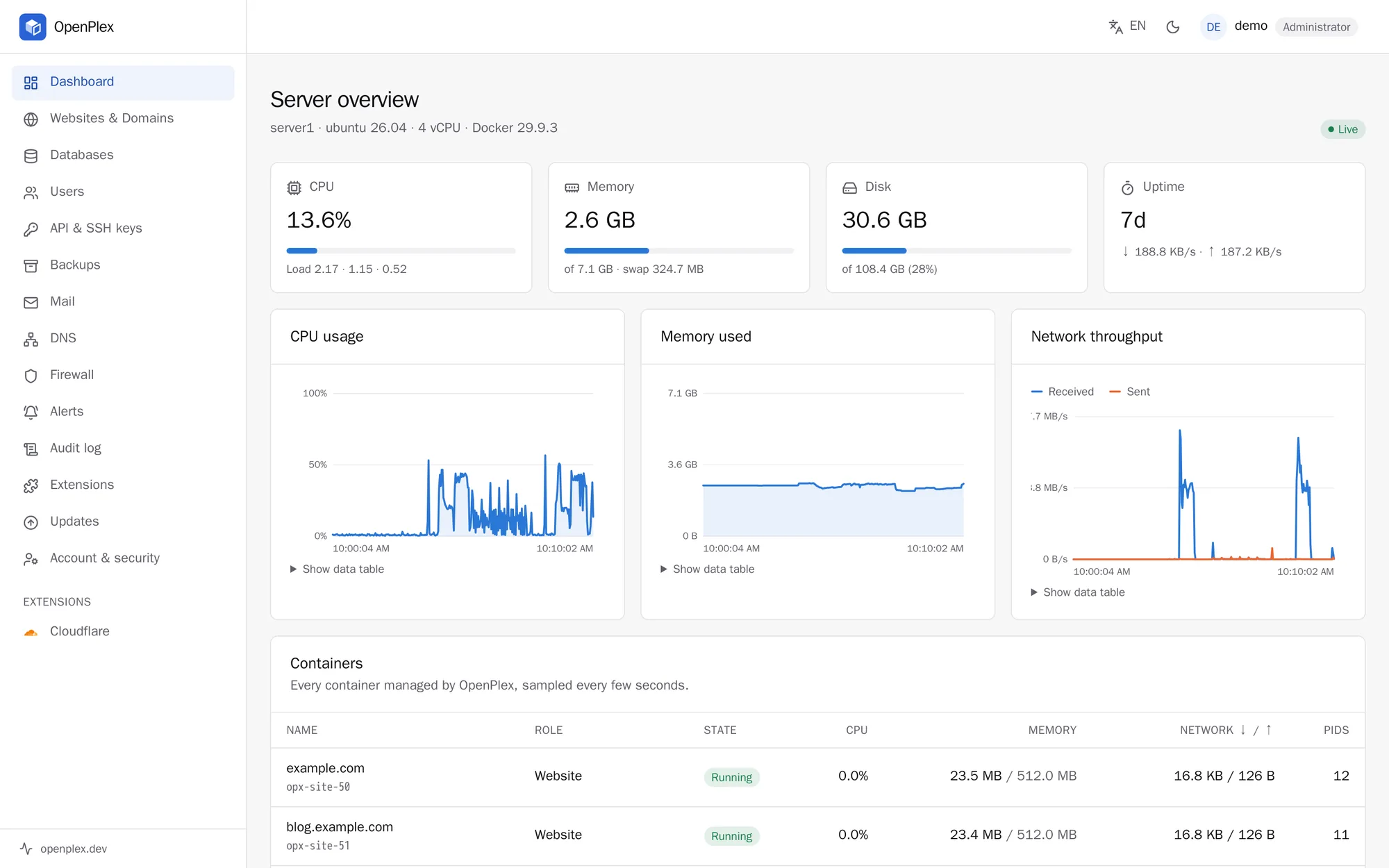
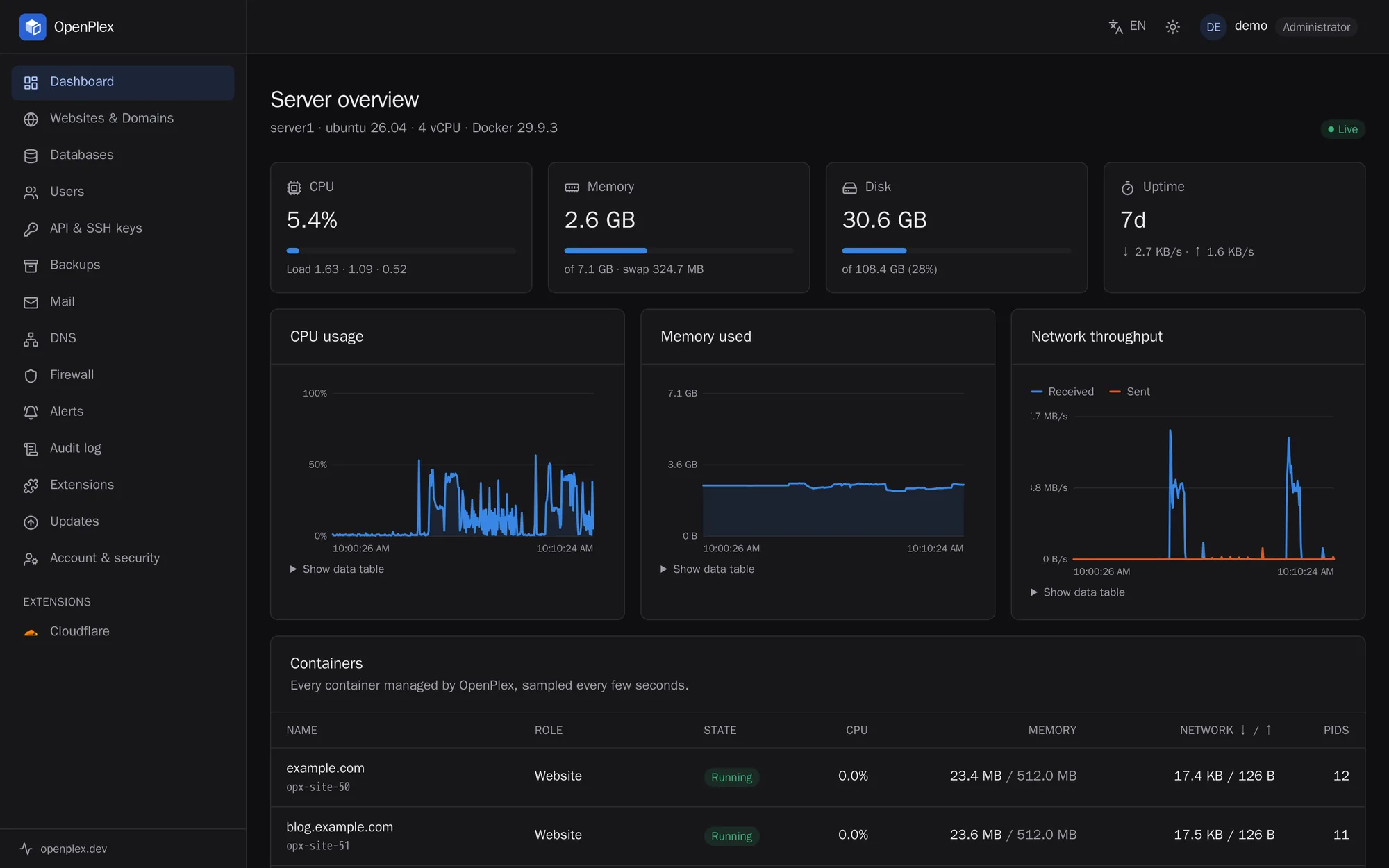
The OpenPlex dashboard: server overview with CPU, memory, disk and networkThe OpenPlex dashboard: server overview with CPU, memory, disk and network
Why OpenPlex

Modern hosting, without the lock-in

Built from scratch on containers, with nothing to license and nothing hidden.

One binary

openplexd is a single Go program with the dashboard built in and its state in SQLite. The server only needs Docker.

Every website isolated

Each website runs in its own container, as its own user, on a private network per account. One customer can't read, reach or slow down another.

HTTPS everywhere

Certificates for every website, alias and the panel itself, obtained and renewed automatically.

Free software

AGPL-3.0, signed releases and one-click updates that roll back on their own if something fails.

Features

Everything a hosting server needs

From your own websites to a server full of customers.

Websites

PHP 7.4–8.4, Node.js, Python, Go or static. One-click WordPress, Joomla and Drupal, Git deploys, staging copies, redirects and logs.

Files

A web file manager with an editor, SFTP with keys, and a terminal inside each website's container.

Databases

MariaDB, PostgreSQL and Redis, with Adminer, size limits and remote access over TLS for the addresses you allow.

Mail

Mailboxes, aliases and forwarding, with DKIM, SPF and DMARC set up for you, and Roundcube webmail.

DNS

Authoritative DNS, with a zone created for each of your domains.

Backups

Encrypted, deduplicated backups to a disk or S3 on a schedule. Restore a website, a database or a single mailbox.

Security

A firewall with safe apply and rollback, Fail2Ban, two-factor authentication, login captcha and an audit log.

Users

Administrators, resellers and customers with quotas. Share a website or a database with someone else.

Monitoring

CPU, memory, disk and network for the server and each container, with e-mail alerts when something goes wrong.

A look inside

Simple to use, from the first website

A clean dashboard in your language, in light or dark.

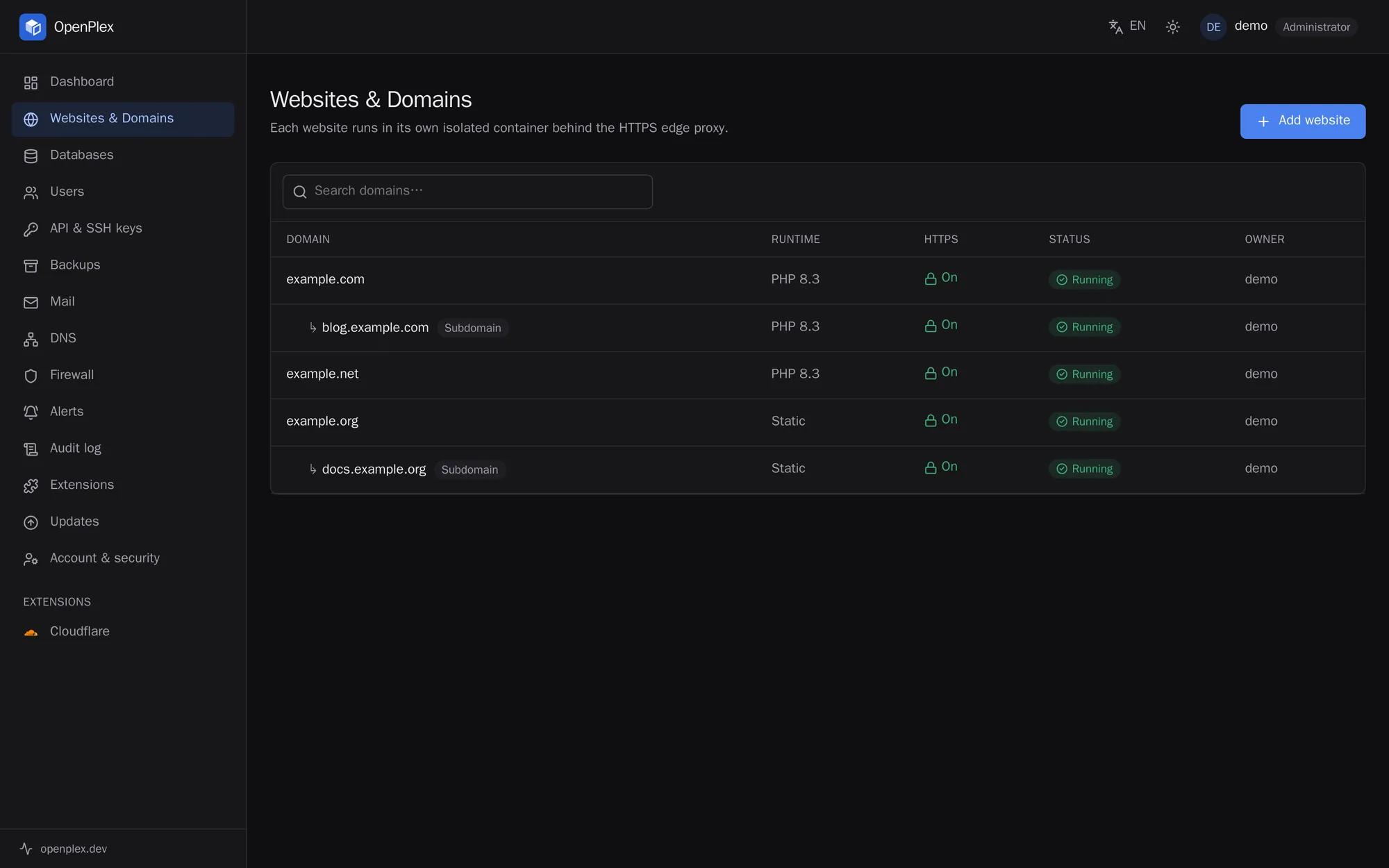
Websites and domains

Every website, subdomain and alias with its runtime, HTTPS and status. Adding one takes its name: OpenPlex creates the container, the certificate and the DNS zone.

  • PHP, Node.js, Python, Go or static
  • Subdomains and aliases
  • Free certificates, renewed automatically
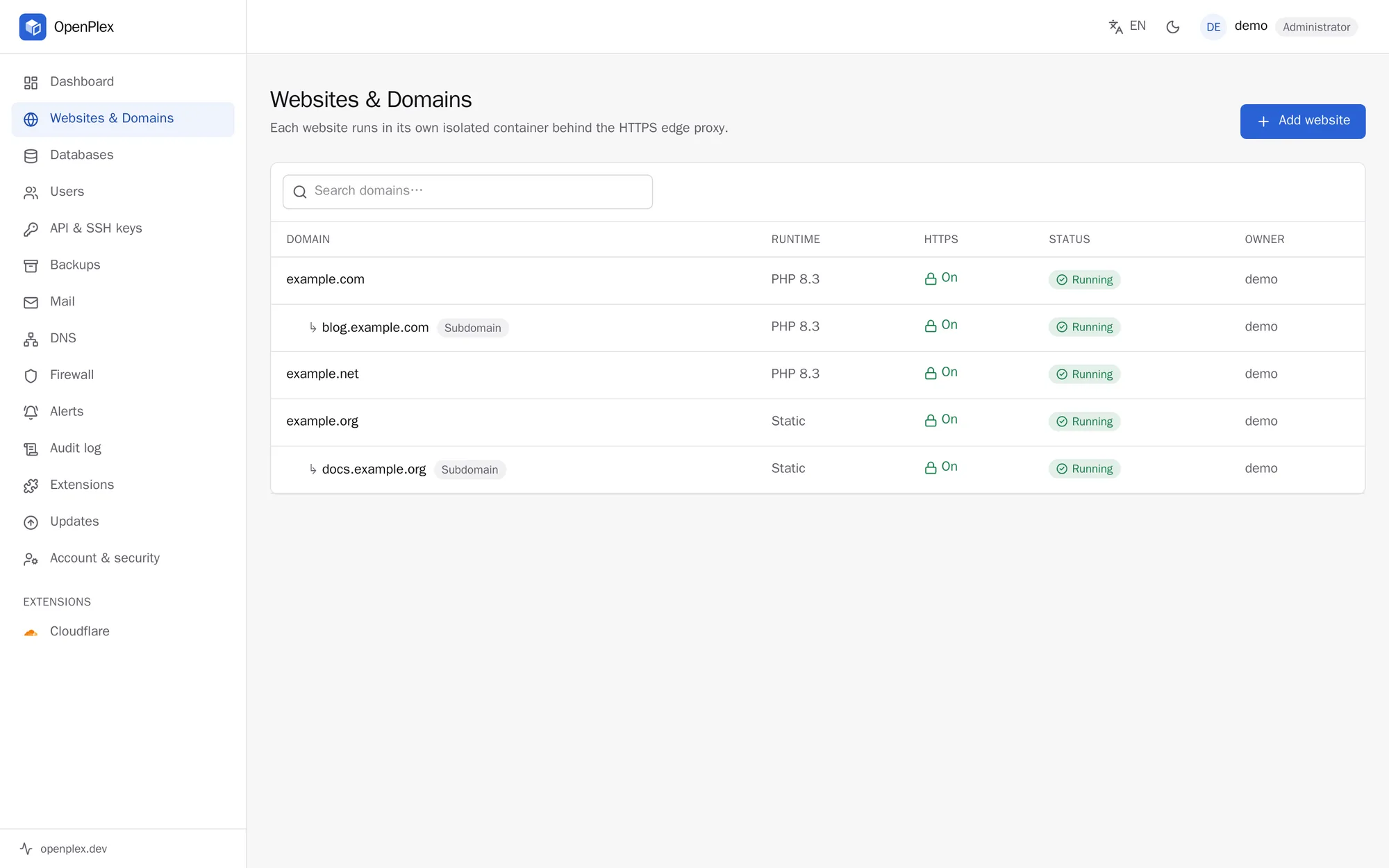
List of websites with their runtime, HTTPS and statusList of websites with their runtime, HTTPS and status

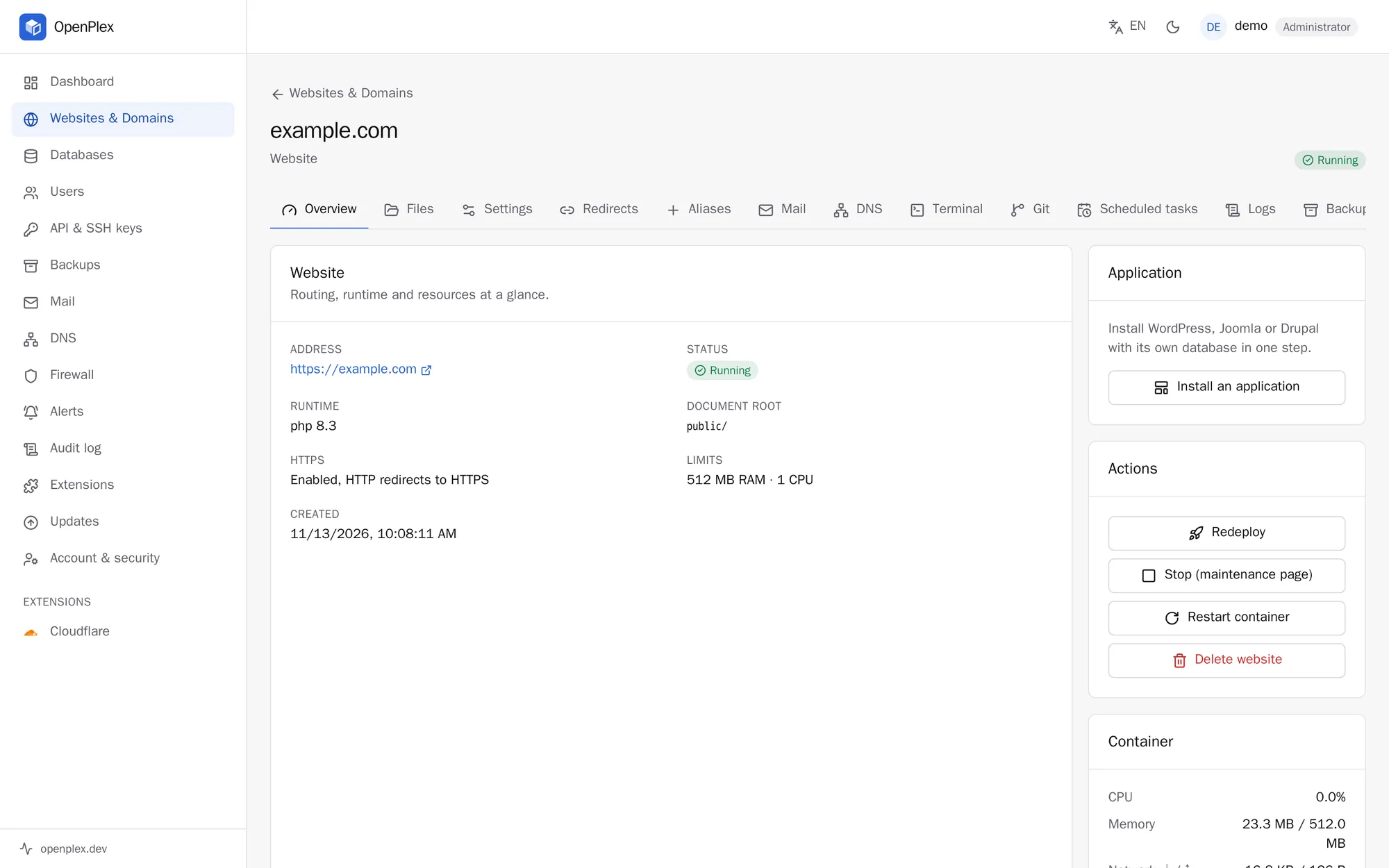
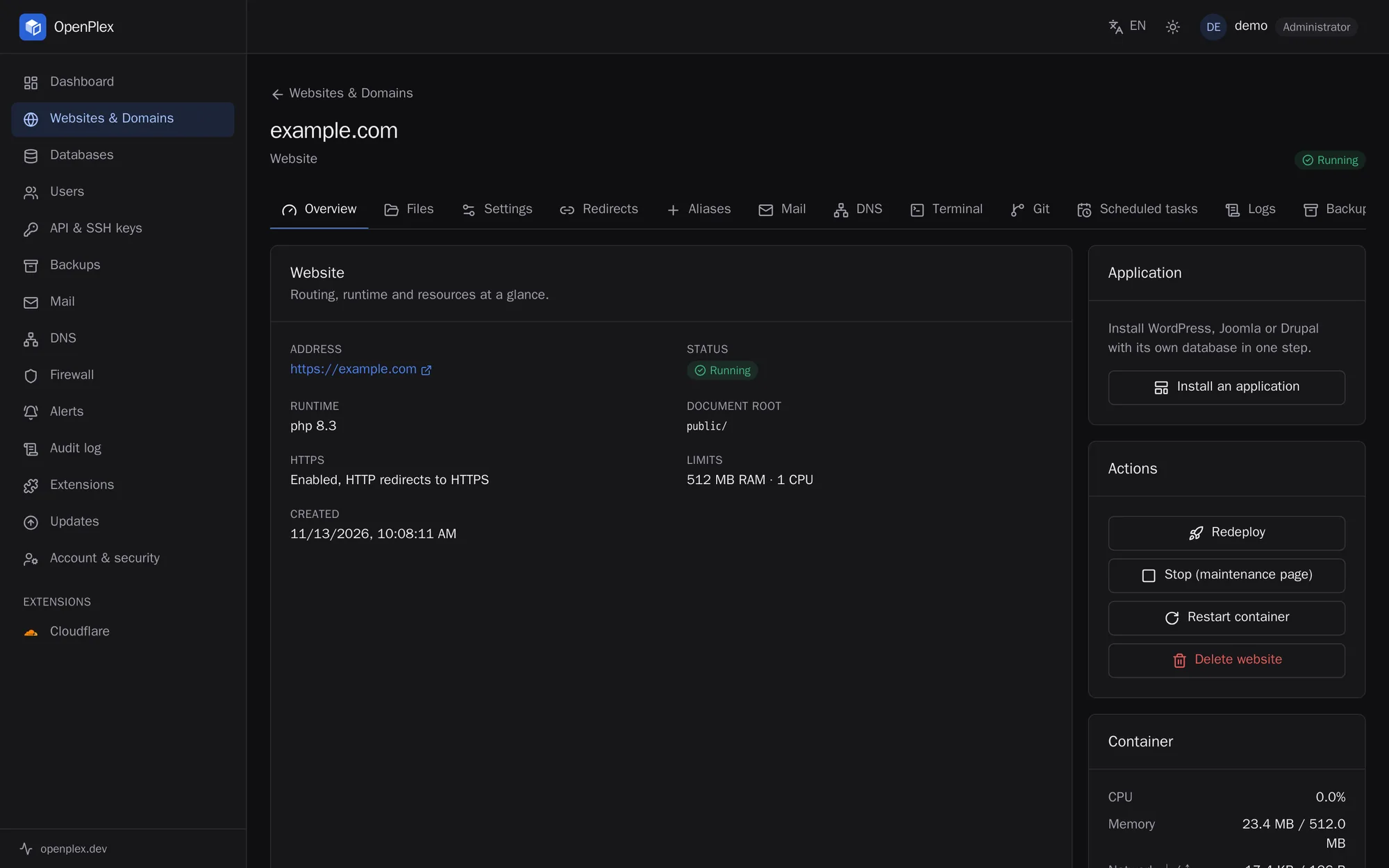
Everything about a website, in one place

Files, settings, redirects, mail, DNS, terminal, Git, scheduled tasks, logs and backups: one tab each.

  • Install WordPress, Joomla or Drupal in one step
  • Deploy from Git with a push
  • Staging copy, pushed back to the live site
A website's page with its address, runtime, limits and actionsA website's page with its address, runtime, limits and actions

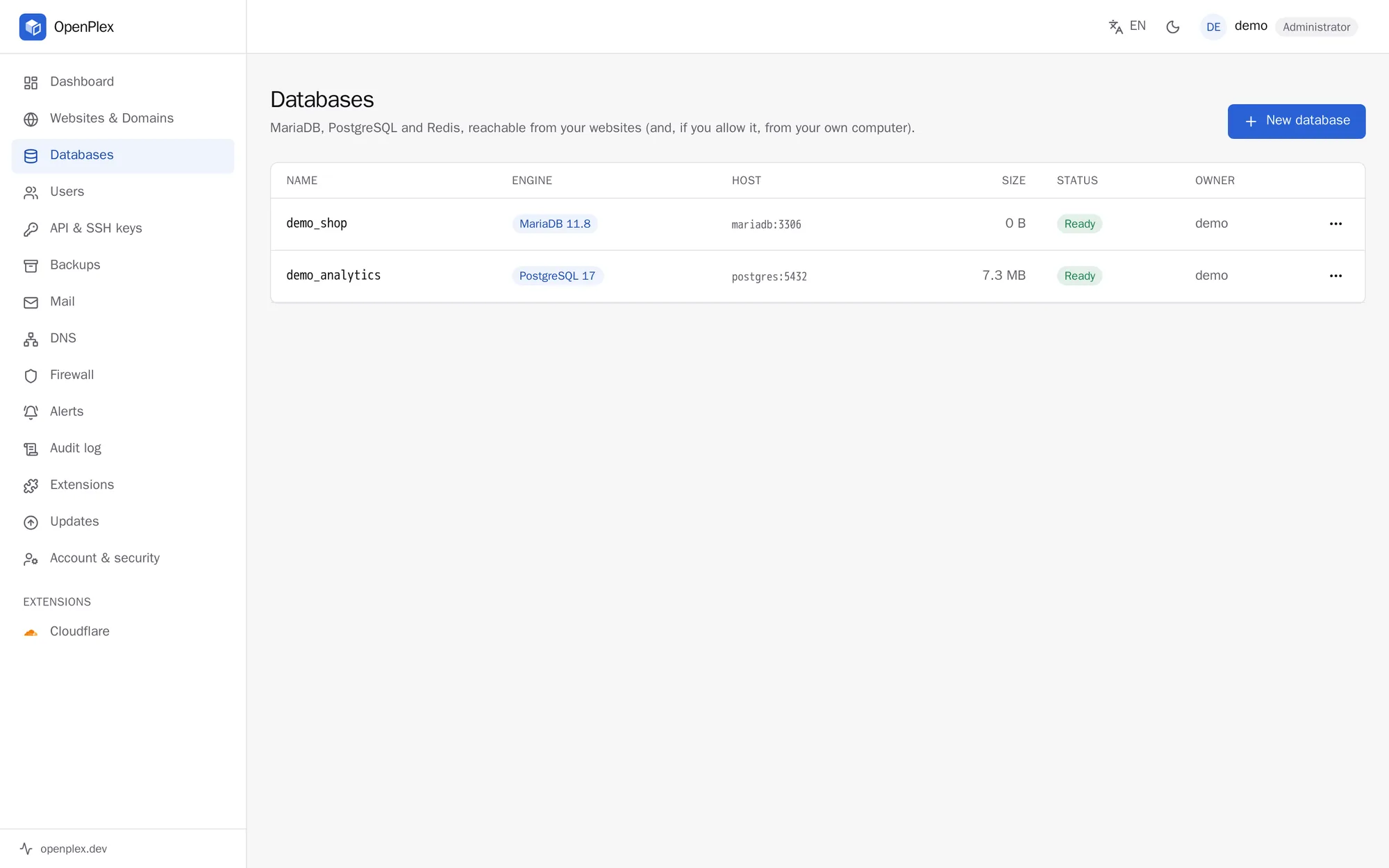
Databases

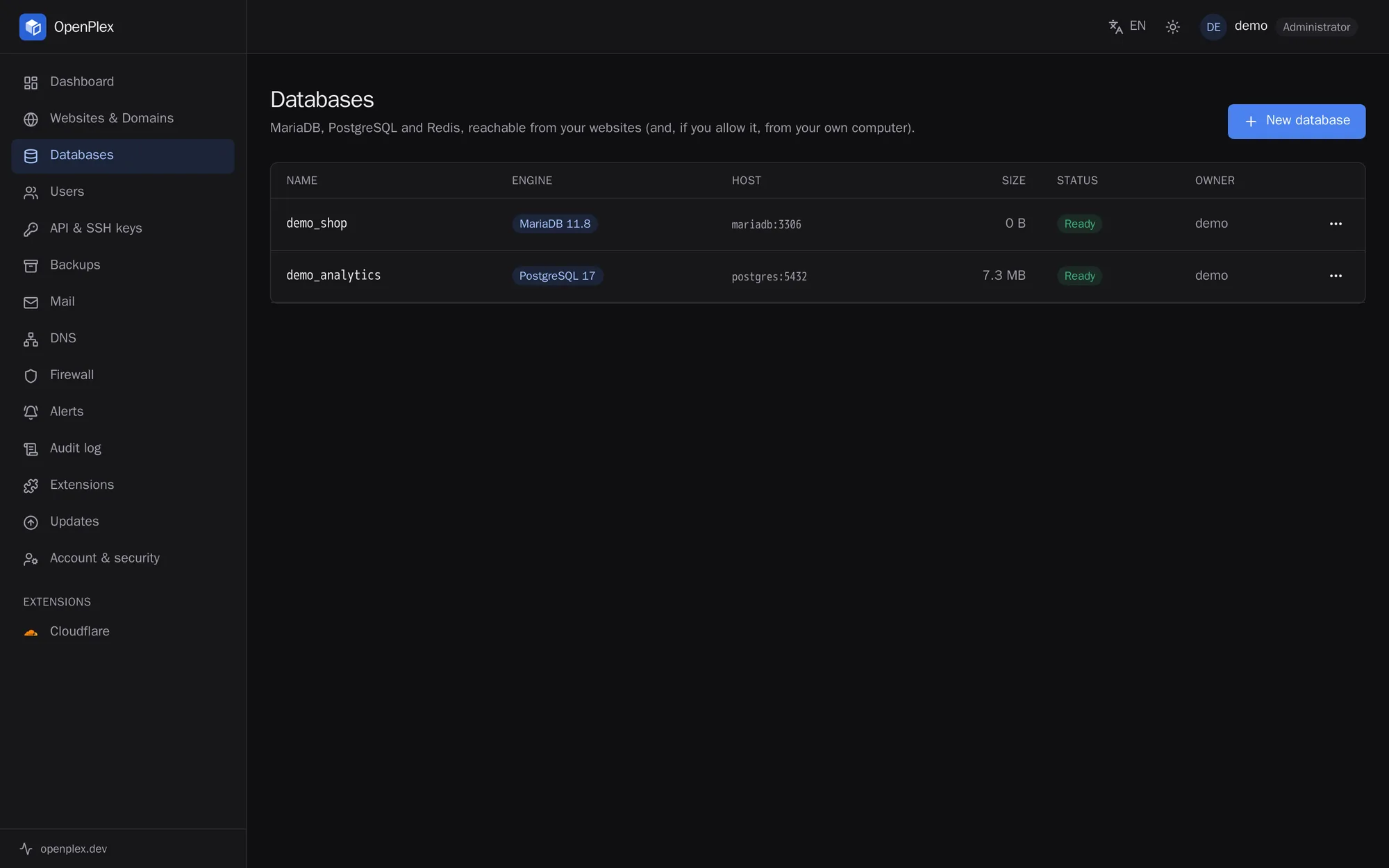
Create a MariaDB, PostgreSQL or Redis database and open it in Adminer with one click. Its size shows next to it, and a limit keeps it in check.

  • Password rotation
  • Size limits, read-only when over
  • Remote access over TLS, per address
List of databases with their engine, size and statusList of databases with their engine, size and status
Install

Up and running in minutes

On a fresh server with a domain pointing at it, run:

bash
curl -fsSL https://github.com/avakiam/openplex/releases/latest/download/install.sh \
  | sudo bash -s -- \
  --panel-domain panel.example.com --acme-email you@example.com

The installer sets up Docker, the OpenPlex service and the firewall, then prints the panel's address. Sign in as admin with the password in /var/lib/openplex/initial-admin-password.

Requirements

  • Ubuntu 22.04+ or Debian 12+, amd64 or arm64
  • Root access, a public IP address, ports 80 and 443 free
  • 2 GB of RAM or more recommended
  • A domain name for the panel
Installation guide
For hosting providers

Sell hosting on OpenPlex

Automation for providers: from the first boot of a server to the customer's invoice.

Ready on first boot

Install from cloud-init, or prepare a template image once: each server made from it gets its own keys, admin account and certificates when it starts.

Hand-over link

Give each customer a one-time sign-in link to their new server, where they choose their own password.

Resellers

Resellers manage their own customers, within the quotas you give them.

REST API

Everything the dashboard does, through the API with keys, documented endpoint by endpoint.

WHMCS module

Accounts created when the order is paid and suspended when an invoice is overdue, plus a button to log in to the panel from the client area.

Your update channel

Choose which release your servers take. Signatures are always checked against OpenPlex's keys.

Extensions

Add what your servers need

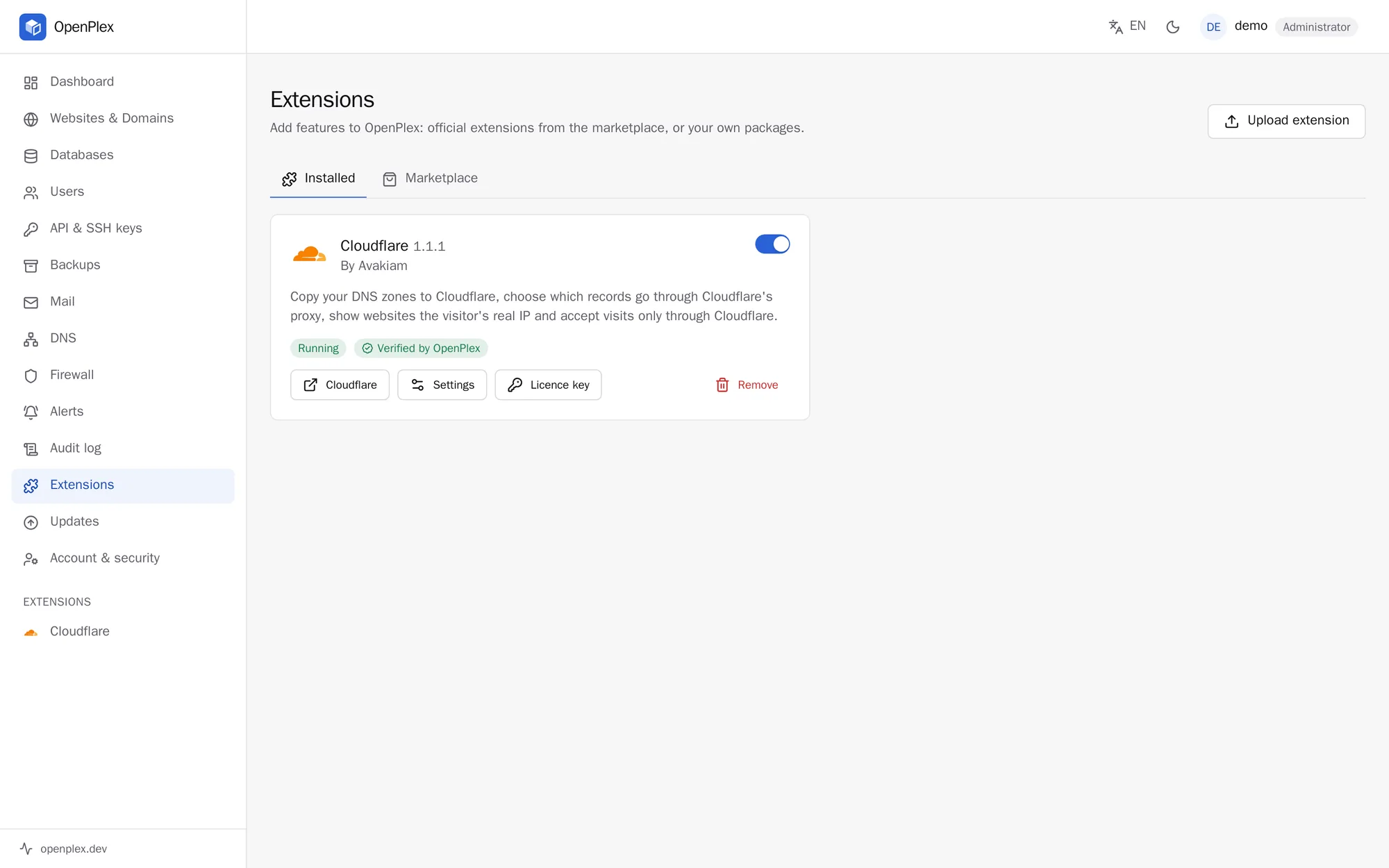
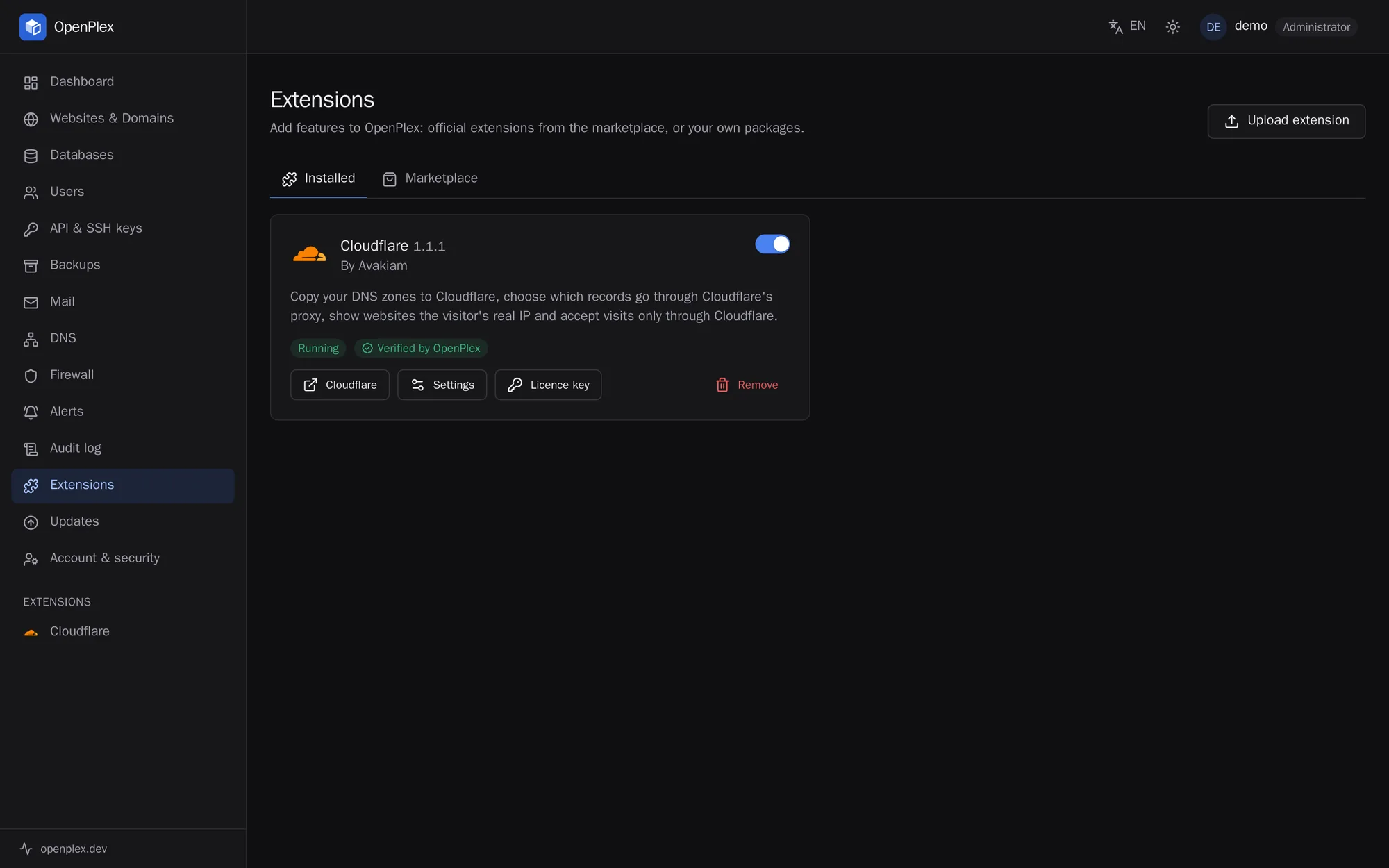
Install extensions from the OpenPlex Marketplace, such as Cloudflare to manage DNS and its proxy from the panel, or Guard to scan your websites for malware. Extensions are signed, install with one click and update from their card.

  • Free and paid extensions
  • Signed packages, checked before installing
  • Build your own and sell it: 80% of each sale is yours
Installed extensions in OpenPlex, with CloudflareInstalled extensions in OpenPlex, with Cloudflare

Try OpenPlex on your server

Free and open source. Install it on a fresh server in a few minutes.